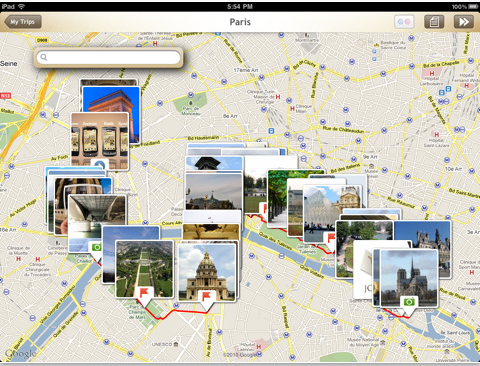
Trip Viewer is an exciting new way to view your travel experiences on the iPad. Your traveled route, photos, and videos can come to life for you and your friends and family. Trip Viewer gives iPad users a media-rich solution for viewing their trips (route, photos, videos, and notes) on the iPad.
With the Trip Viewer app, travelers have a rewarding way to enjoy their trip all over again and an interactive way to share their trips with friends and family. Trips are easily imported to Trip Viewer by email and iTunes, including GPX trips from any GPS app and GPS device. It’s the perfect companion app for Trip Journal.
Features
• import your media-rich trips (photos, videos) by email and iTunes, including GPX trips from any GPS app and GPS device
• view your trips on the map, complete with waypoint information, notes, and trip statistics
• watch an animated slideshow of your trip
• enrich your trip experience with real-time, geo-location aware Flickr photos along the route.
Sharing your destination experiences will never be the same again!