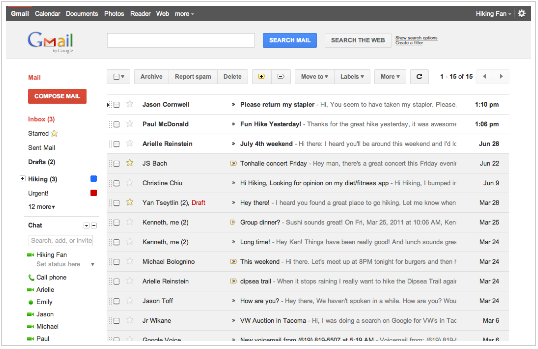
Google has released a preview of what the real new Gmail will look like, including themes that you can test out today. Google is embarking on a series of interface updates to help strip out unnecessary clutter and make Gmail beautiful. Gmail has adopted the Google+ minimalist, orange and gray aesthetic.
Starting today, you’ll see the “Preview” and “Preview (Dense)” themes in the Themes tab in Gmail Settings. Just select one of the Preview themes and try it for yourself. Why two themes? The new interface will eventually expand dynamically to accommodate different screen sizes and user preferences, but until then you can pick the information density that you prefer.
Like Gmail, Google Calendar is also getting a new look. You’ll see it automatically within the next few days so there’s no need to turn it on, and we’ll also continue to make improvements there in the coming months. Details about the current changes to Calendar can be found in the Calendar help center.