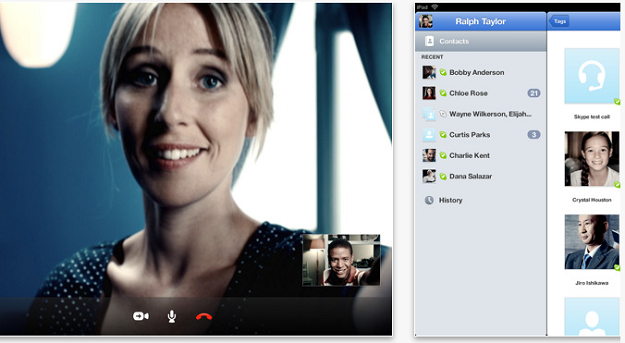
The official Skype app has now gone live on the App Store again, just hours after it was pulled by the developers. Skype earlier today said “To ensure your best Skype experience, we’ve temporarily removed Skype for iPad, which went live prematurely today,”. Now the app is back again at the appstore.
Features
• If you already have a Skype account, your Skype contacts will automatically be there on your iPad.
• Adding new Skype contacts is now really easy.
• Once they’re in your Contact list, call, video or instant message them in one touch.
• Flick through recent calls and instant messages in your Skype for iPad history.
• Skype for iPad works over Wi-Fi or 3G (operator data charges may apply). Call Skype contacts on their iPhone, iPod touch, iPad, PC, Mac and even Skype enabled TVs.
• Talk face-to-face or show what you’re seeing with front and back-facing cameras.
• Use Skype for iPad to call anyone else on Skype – and enjoy near CD quality (SILK) sound.
• Instant message and add emoticons to personalize your messages.
Download the free Skype iPad app now.